If you've read Atomic Habits, tried Deep Work, and started a bullet journal, you've probably ended up with the same problem: three half-used apps, a Notion page you abandoned in February, and no single place that reflects how those systems fit together. Below are the five tools most often recommended for turning self-improvement frameworks into daily behavior, ranked by how much of the work they actually do for you.
How we evaluated these apps
We scored each app against four questions, in this order: does it connect a daily action to a longer-term identity or goal rather than just a checkbox; does it protect a distraction-free block of time; does it leave room for reflection through journaling; and what does it do, if anything, on the day you break a streak. Pure task managers score well on execution but don't touch identity. Gamified trackers are motivating short-term but thin on reflection. Flexible workspaces can match any of this in theory, at real setup cost. Pricing below was checked against each vendor's own site in September 2026.
Quick answer
- Todoist — best pure task manager
- Habitica — most fun for casual habit gamification
- Notion — most flexible, most setup required
- Sunsama — best daily planning ritual
- Kairos — best all-in-one system for identity-based habits, focus, and journaling
Comparison table
5. Todoist — the reliable task list
Todoist remains the benchmark for clean, cross-platform task management. Type "pay rent every 1st" and it parses the recurring due date on its own — the kind of small friction removal that decides whether a task app survives past week one. The free Beginner plan covers five personal projects and three filter views, which is plenty for most people's day-to-day, and there's no expiry date attached to that tier.
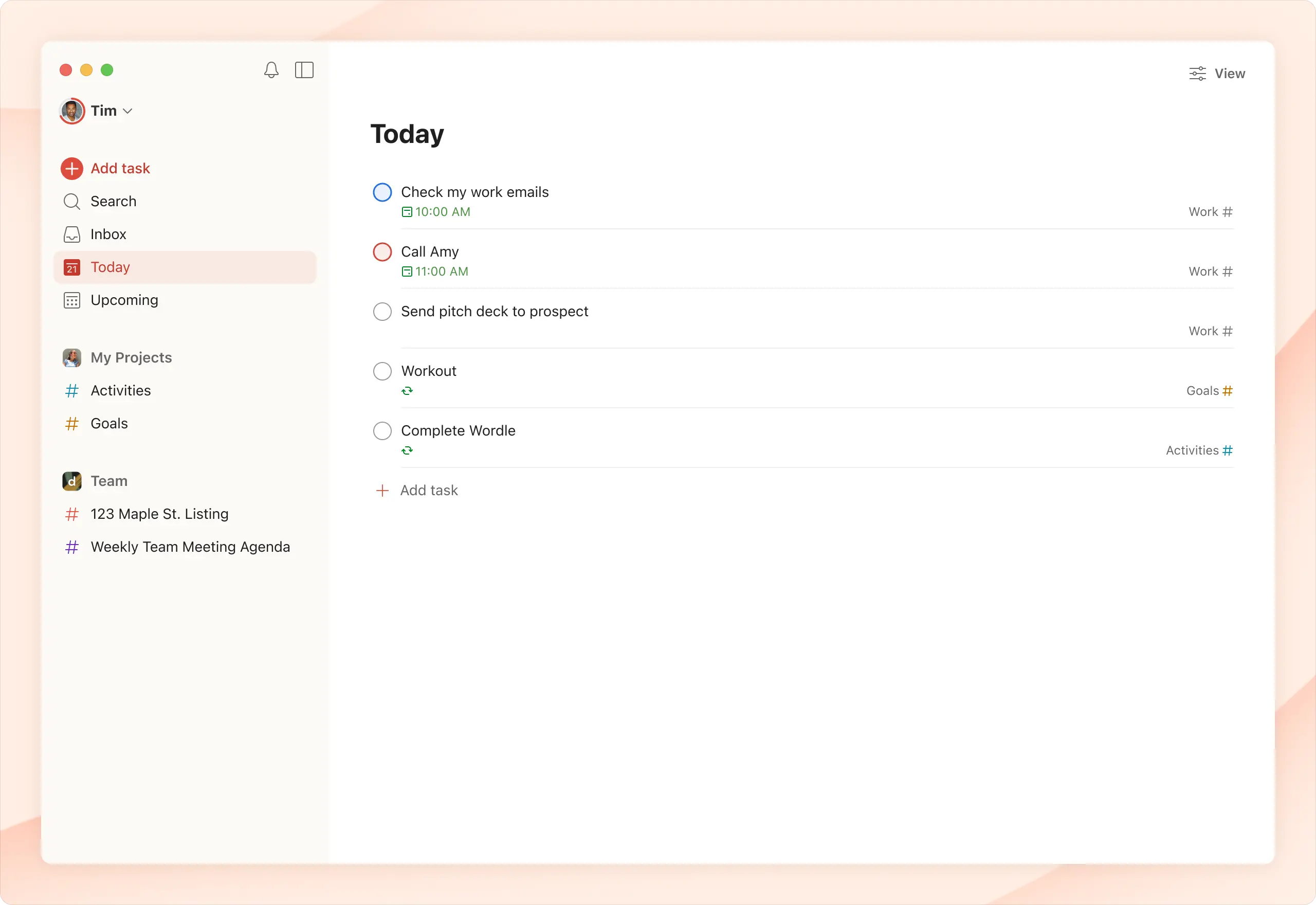
Where Todoist stays out of this list's top spot is scope. It's built to capture what you need to do, not to help you become the kind of person who reliably does it. There's no habit-identity layer, no focus timer, and no reflection space — once the task is checked off, Todoist has nothing more to say about it.
Best for: people who want fast, frictionless task capture and nothing more. Skip if: you're trying to build repeating habits rather than clear one-off tasks.
4. Habitica — habits as a game
Habitica turns your to-do list into an RPG: finish tasks, level up your avatar, and lose health if you skip your habits for too long. For people who respond well to game mechanics, that loop is genuinely motivating, and the built-in party system adds a layer of social accountability most habit apps skip entirely.
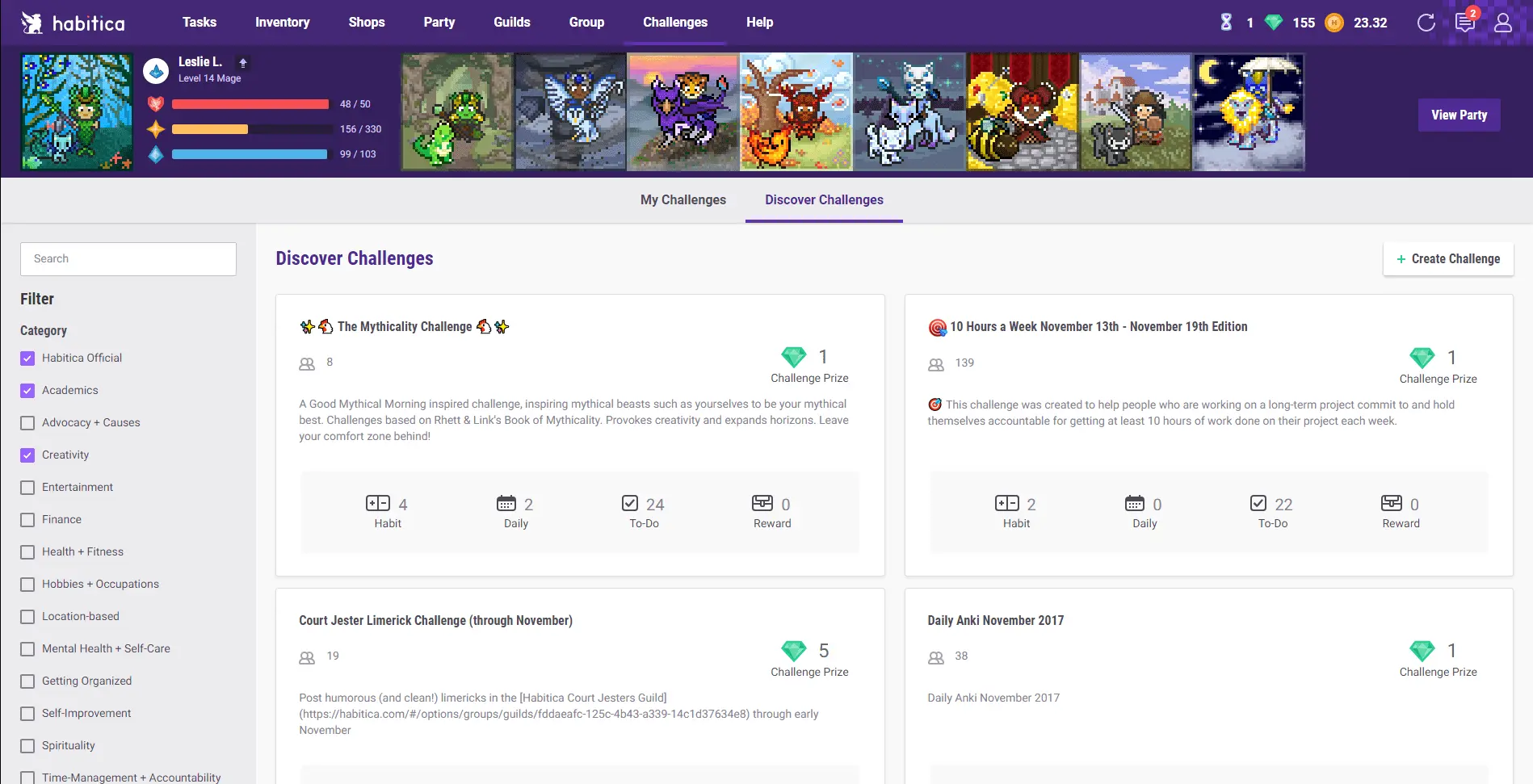
The trade-off is what the reward loop is actually built on. Points, gear, and avatar health are external rewards layered on top of the habit — closer to the extrinsic motivation research warns can fade once the novelty does, rather than the identity shift that makes a habit stick on its own. Habitica also has no deep work mode and no journaling space, so it covers one job well and leaves the rest of a self-improvement stack untouched.
Best for: casual habit-builders who want a light, social, game-like nudge. Skip if: the gamification itself would become a distraction from the habit.
3. Notion — the DIY life OS
Notion can technically become anything — a habit tracker, a journal, a goals dashboard, a decade-planning system — if you're willing to build it yourself or buy one of the many paid templates that do it for you. Its database engine is genuinely powerful, and for a solo user the free plan is uncapped on blocks, which is generous by workspace-tool standards.
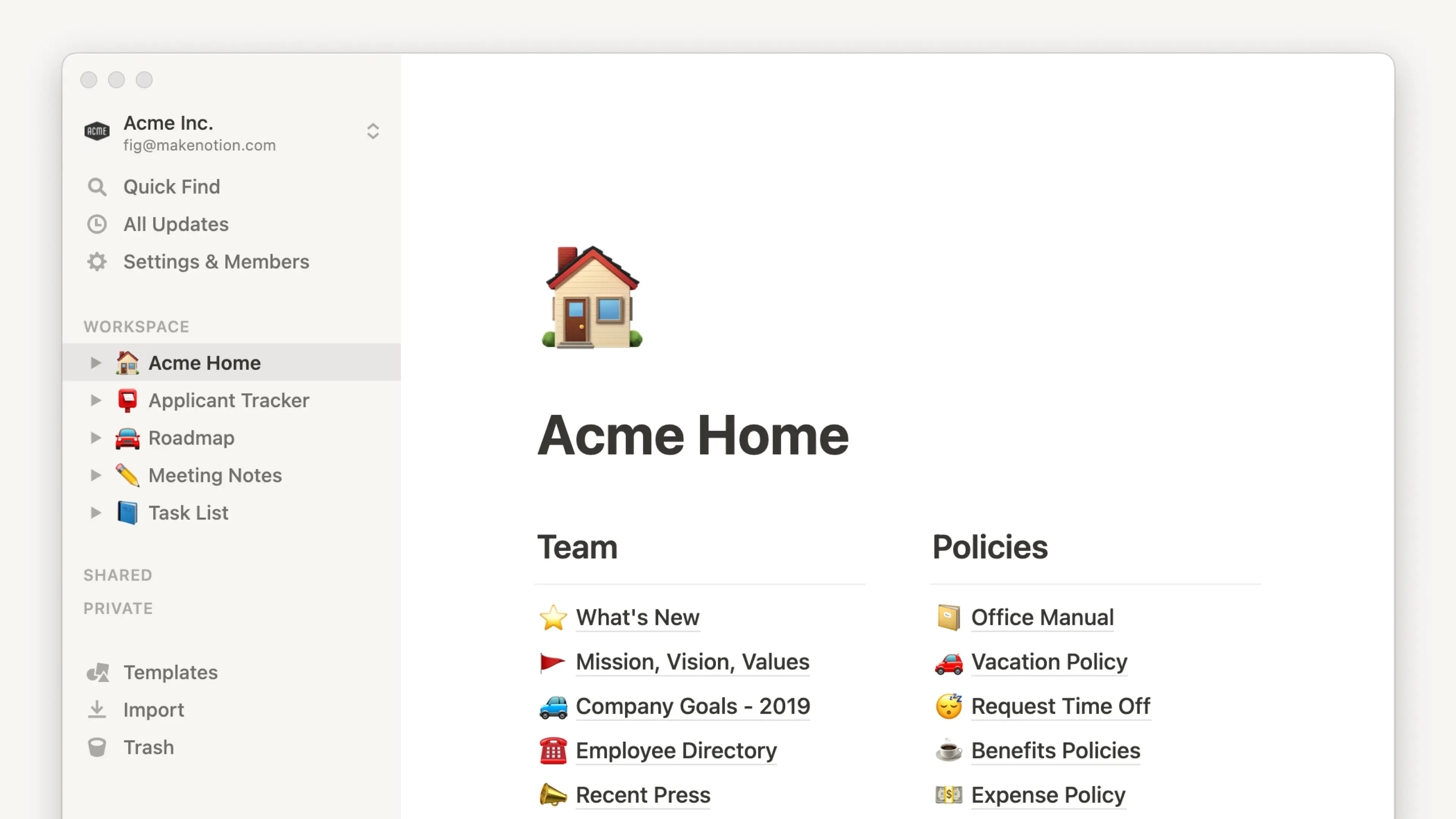
That flexibility is also Notion's most common failure mode. It's flexible enough that people spend more time decorating the workspace, picking fonts, and rearranging databases than actually running the system inside it. There's no built-in coaching, no recovery logic for a missed day, and no opinion at all about how habits, focus, and reflection should connect — you have to supply that opinion yourself, every time you open it.
Best for: people who already enjoy building and tinkering with their own tools. Skip if: you've tried building a Notion system before and abandoned it.
2. Sunsama — the daily planning ritual
Sunsama's guided daily planning session — pulling in tasks, calendar events, and a shutdown ritual at the end of the day — is one of the better implementations of intentional daily planning currently available. It forces a five-minute check-in each morning and each evening, which is exactly the kind of small forcing function that makes planning actually happen instead of staying an intention.
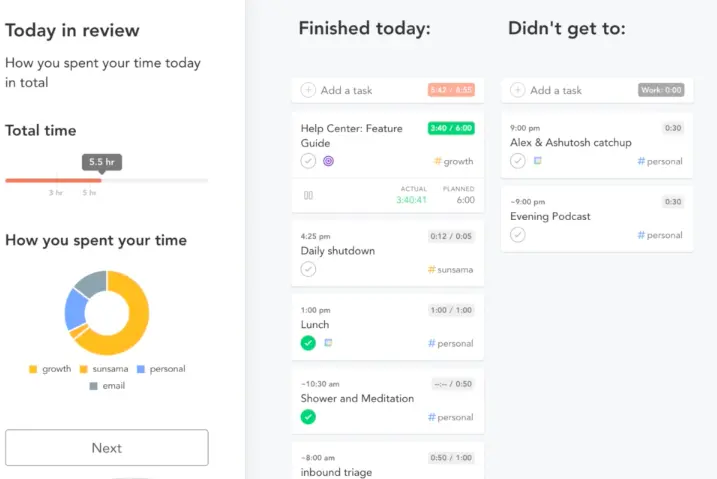
It's excellent at the day-to-day layer and weaker everywhere else. There's no free tier to try before committing, no habit tracker beyond what you manually re-plan each day, and nothing connecting today's plan to a longer identity or life-goal arc — Sunsama plans your Tuesday well, but has no opinion about your decade.
Best for: people who already have a task list and calendar and just need a daily planning ritual layered on top. Skip if: you want habit tracking or long-term goal mapping included.
1. Kairos — the system built around who you're becoming
Kairos starts from a different question than the other four tools on this list. Instead of a blank list or board, it starts from what self-help books actually ask: who are you trying to become, and what does that person do every day? That's the identity-based model popularized by James Clear's Atomic Habits — habits framed as evidence for an identity, not isolated checkboxes — and it's the structural backbone of the whole app rather than a feature bolted on top.
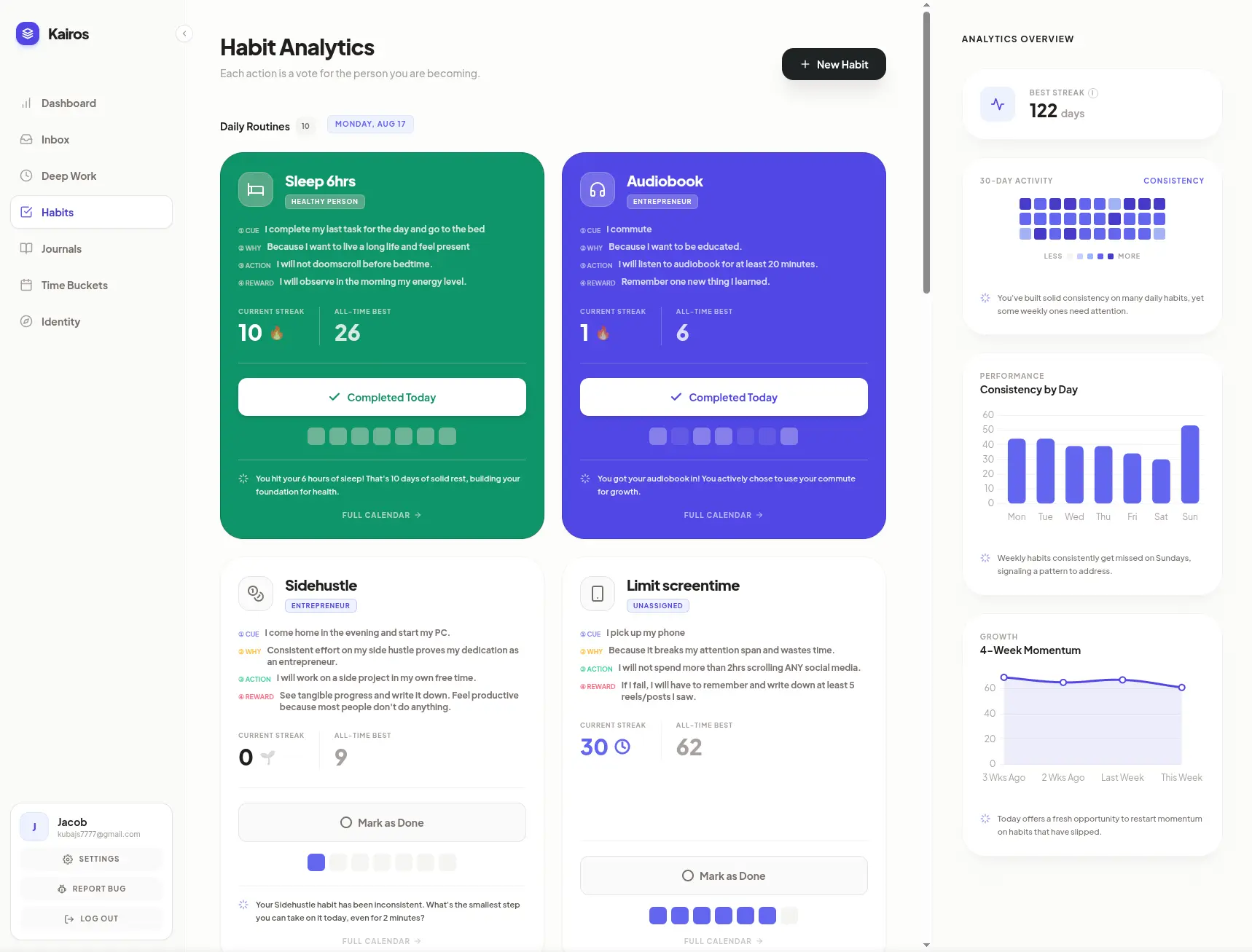
In practice that means five layers that most people currently juggle across separate apps, connected in one place: Time Buckets, which map big life goals to the decade they belong in; an identity layer tying those goals to a concrete self-image; adaptive habit tracking built on that identity model; a distraction-free deep work timer, in the spirit of Cal Newport's Deep Work; and a universal inbox plus daily journal for capturing thoughts and closing the loop each night.
A 2010 University College London study led by Phillippa Lally found that new habits take a median of 66 days to become automatic, not the popular 21-day myth, with some taking as long as 254. That's months of inevitable slip-ups, which is why the day you miss matters more than the app itself. Kairos's AI coach is built around that fact directly: a missed streak triggers a recovery nudge toward the two-minute rule rather than a guilt trip or a broken streak counter you have to stare at.
Pricing is straightforward. The free Basic plan covers three habits along with the inbox and focus timer, no card required. Pro is $9/month at the current early-adopter rate (normally $15), or $7/month billed annually. Limitless, which adds unlimited habits, Time Buckets, and full AI coaching, is $19/month at the early-adopter rate (normally $29), or $15/month annually. There's also a one-time Lifetime plan at $299 (normally $599) for people who'd rather not subscribe to another app. Journal entries are encrypted at rest and are never used to train models.
It's also worth being upfront about where Kairos is thin. It's a newer product moving fast, so a few features — WhatsApp logging among them — are still rolling out rather than fully live. There's no native mobile app yet; it's a responsive web app rather than an App Store download. And it's built for people who want one connected system, not for people who just need a single point tool.
Best for: people who've tried a habit tracker, a journal, and a focus app separately and kept dropping all three. Skip if: you only need one narrow job done — pick the matching tool above instead.
Stop building systems. Start executing.
Join the Kairos waitlist to secure early access and lock in beta pricing.
Do you need more than one app?
Probably not four separate ones. If your only need is fast task capture, Todoist alone is the right call — don't add a system you don't need. But if you've tried a task app, a journal, and a habit tracker separately and kept dropping all three, the fragmentation itself is usually the problem, which is the specific gap Kairos was built to close.